How to Make a Custom FiveM Minimap (Step-by-Step)
You will end up with a drop-in FiveM resource that puts your own map art on the radar and the pause map, started with one ensure line.
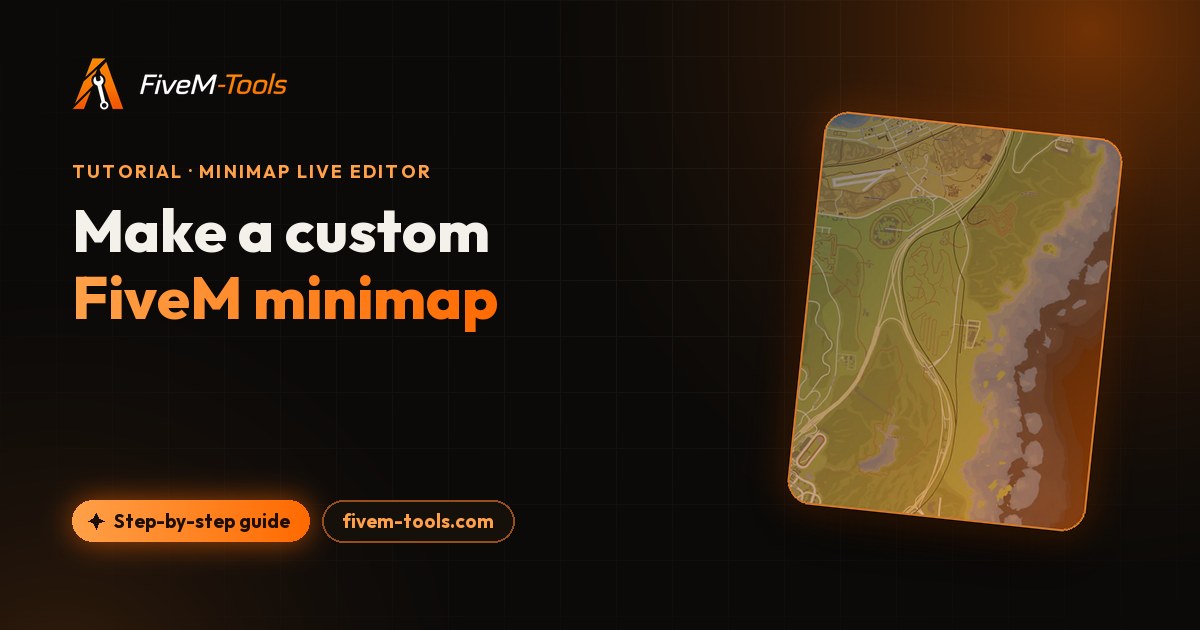
A FiveM custom minimap replaces the map art your players see on the radar and in the pause menu: gang territories, your own labels, a satellite or dark style, street names or postal codes. This tutorial first explains how a FiveM minimap is built (six texture tiles, a road layer, a Cayo Perico file and a small script). Then it shows two ways to make your own: by hand, or in your browser with the Minimap Live Editor.
The browser route needs a Discord account and a server you can restart, and one export a day is free. You don't need Photoshop, OpenIV or CodeWalker.
How the GTA V minimap works in FiveM
The map image isn't one picture. GTA V stores it as six square textures, each in its own texture dictionary (.ytd). They form a grid two tiles wide and three tiles tall. In each name the row comes first, then the column: minimap_sea_0_0 is the top-left tile and minimap_sea_2_1 the bottom-right one.
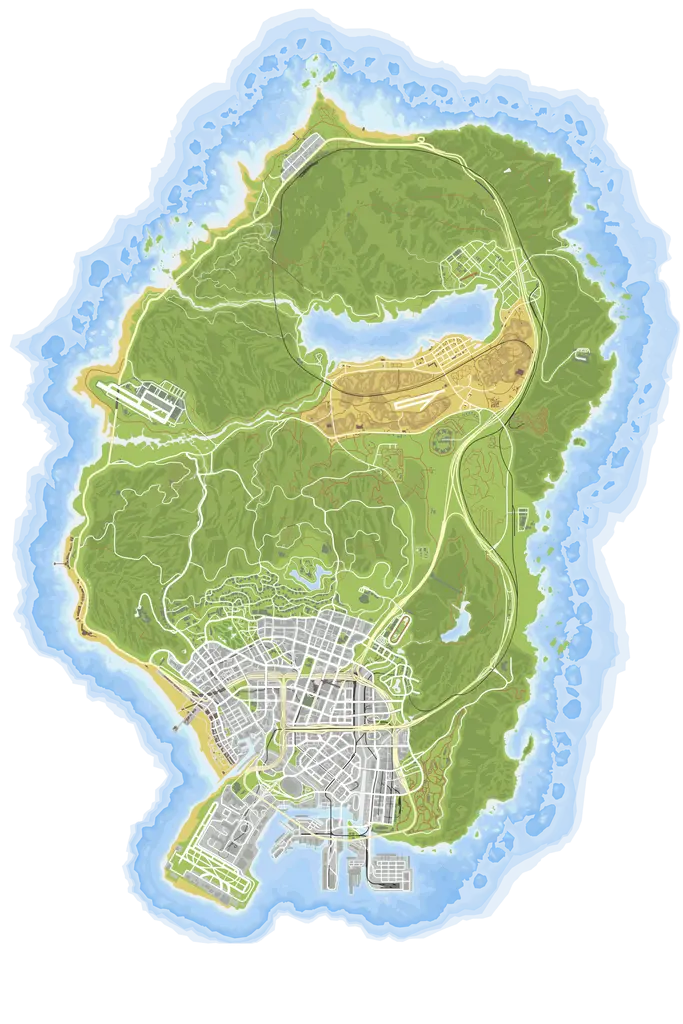
Each tile covers 4,500 × 4,500 world units, and the top-left corner of tile 0_0 sits at world X -4140, Y 8400. The table shows which file holds each part of the map:
| Tile | Grid spot | World X | World Y | Districts labeled on it |
|---|---|---|---|---|
minimap_sea_0_0 | Top left | -4140 to 360 | 8400 to 3900 | Paleto Bay, Paleto Forest, Chiliad Mountain State Wilderness |
minimap_sea_0_1 | Top right | 360 to 4860 | 8400 to 3900 | Mount Chiliad, Mount Gordo |
minimap_sea_1_0 | Middle left | -4140 to 360 | 3900 to -600 | Lago Zancudo, Chumash, Vinewood Hills, Rockford Hills |
minimap_sea_1_1 | Middle right | 360 to 4860 | 3900 to -600 | Sandy Shores, Grand Senora Desert, Harmony, Tataviam Mountains |
minimap_sea_2_0 | Bottom left | -4140 to 360 | -600 to -5100 | Downtown, Del Perro, Vespucci, Los Santos International Airport |
minimap_sea_2_1 | Bottom right | 360 to 4860 | -600 to -5100 | East Los Santos, Mirror Park, Palomino Highlands |
Four tiles meet at world X 360, Y -600, between Downtown and Vinewood, so a zone in the city can span several files. Three more pieces complete a minimap:
- The road layer. On the pause map, GTA V draws a vector road overlay from a grid of
minimap_X_Y.yddfiles. A custom map ships blank copies of them. Without the blanks, the stock roads are drawn on top of your art. - Cayo Perico. The island isn't part of the six tiles. Its map is a separate Scaleform file,
int3232302352.gfx, and the resource's script shows it with a call it repeats every frame. - A small client script that sets the radar zoom and handles Cayo Perico and interiors.
What's inside a FiveM custom minimap resource
Here is the folder the editor exports for a project named "My RP map". A hand-made pack uses the same kinds of files.
my-rp-map/
  fxmanifest.lua
  config.lua
  map.lua
  postal.lua               (only with the postal script)
  postals.json             (only with the postal script)
  README.txt
  stream/fivem-tools.com/my-rp-map/
    ytd/  minimap_0_0.ytd ... minimap_2_1.ytd           the 6 tiles
          minimap_sea_0_0.ytd ... minimap_sea_2_1.ytd   the same 6 tiles
          minimap_lod_128.ytd                           LOD stub
    ydd/  minimap_0_2.ydd ... minimap_7_6.ydd           65 blank road files
gfx/ int3232302352.gfx Cayo Perico map| File | Count | What it does |
|---|---|---|
fxmanifest.lua | 1 | Declares the game and loads the two client scripts. |
config.lua, map.lua | 2 | Cayo Perico switch, interior maps and radar zoom. |
minimap_R_C.ytd and minimap_sea_R_C.ytd | 12 | Your map. Each tile is written under both names as byte-identical files, and the texture inside is always named minimap_sea_R_C. |
minimap_lod_128.ytd | 1 | A 275-byte low-detail stub, copied as is. |
minimap_X_Y.ydd | 65 | Blank road-layer files of 461 bytes each. |
int3232302352.gfx | 1 | The Cayo Perico map. Every export includes it. |
postal.lua, postals.json | 0 or 2 | The /gps postal script and its data. |
README.txt | 1 | Install steps and notes. |
That's 83 files, or 85 with the postal script. The tiles are DXT5 (also called BC3) block-compressed by default, or uncompressed A8R8G8B8 if you choose Lossless. Each tile has a single mip level: the full-size image only, with no smaller copies.
The generated fxmanifest.lua is short:
game 'gta5'
fx_version 'cerulean'
author 'TeK - FiveM-Tools.com'
description 'Custom minimap - My RP map (generated by fivem-tools.com)'

client_scripts {
    'config.lua',
    'map.lua'
}
It has no data_file or this_is_a_map line. FiveM streams everything under stream/ on its own, the .gfx file included. For other kinds of resources, see our fxmanifest.lua templates, and read GTA V file formats explained for more on YTD and YDD files.
Option A: edit the minimap YTD tiles by hand
The classic route works, but every step is manual:
- Extract the six
minimap_seatiles from the game files with OpenIV or CodeWalker, and export each texture as an image. - Edit all six in an image editor. Anything that crosses a tile edge, such as a zone or a label, has to line up exactly on both sides.
- Import each image back into its
.ytdas DXT5, and keep the texture nameminimap_sea_R_C. - Add blank
minimap_X_Y.yddfiles so the stock road overlay doesn't cover your art. - Write the
fxmanifest.luaand a script for the radar zoom, Cayo Perico and interiors. - For postal codes, add a postal script and its data. To restyle Cayo Perico, edit the bitmaps inside its
.gfxfile.
Each change to the art means repeating steps 2 and 3.
Option B: use a minimap editor in your browser
The Minimap Live Editor shows the six tiles as one 2048 × 3072 canvas, so nothing has to line up by hand. Sign in with Discord to open it.
1. Pick a base map or import yours
In the hub, type a project name, pick a card under "Start from a preset" and click "Create project". Choose the name with care: it becomes the resource folder, the ensure line and the zip name, and renaming later doesn't change them. It must start with a letter, so "My RP map" works and becomes my-rp-map.
| Preset | Native size | Looks like | Default Cayo style |
|---|---|---|---|
| Color | 3K | Atlas style: green land, blue water, white roads | Color |
| Original | 4K | Dark land with light gray roads | Original |
| Past Gen | 4K | Pale gray-green land with dark roads | Past Gen |
| Satellite | 4K | Satellite imagery with deep blue water | Satellite |
| Real Map | 4K | Photo-style terrain | Satellite |
| Real Map Dawn | 4K | Photo-style terrain in low, warm light | Satellite |
None of the presets has street names printed on it: the Street names layer adds them (step 5). Color is a 3K map, so a 4K export upscales its base.
To start from your current map instead, name the project and drop files in the box under "or import your own minimap" (up to 13 files of 50 MB each). Use PC Legacy .ytd tiles, or .png, .jpg or .webp frames named like the game tiles: minimap_sea_0_0 to minimap_sea_2_1, or minimap_0_0 to minimap_2_1. In a .ytd, the texture name inside decides where the tile goes.
Import all six, because a missing tile exports as a flat dark blue square. Gen9 (Enhanced) YTDs and BC7 textures aren't supported, and non-square images get stretched.
2. Draw gang zones, labels and images
- Zone: click points on the map, then right-click or click the first point to close the shape. It fills with the Fill color (blue at 45% by default) and uses the stroke Color and Width for its outline.
- Text: click the map to place a label, then set the font, size and outline. You can upload your own font (.ttf, .otf, .woff or .woff2, up to 5 MB).
- Insert image: add a gang logo from a file or a URL (PNG, JPEG or WebP, up to 15 MB).
- Line and Brush: straight lines (hold Shift to snap) and freehand strokes.

3. Restyle the map with filters
The Filters panel has 11 filter types: Hue, Saturation, Brightness, Contrast, Blur, Sepia, Grayscale, Invert, Vignette, Grain and Tint (Tint recolors the map but keeps its shading). You can also start from one of 8 looks: Post-apocalypse, Night ops, Noir, Vintage, Winter, Toxic, Inferno and Cyber. A look is only a stack of normal filters, so you can tweak each one.
Every filter has a scope. Tiles changes only the base map under your drawings. Whole map changes everything, your zones and text included. New filters start on Tiles.

4. Remove or replace parts of the base map
- Fast Infill: paint over a building or a printed label, pick Smooth, Texture or Mirror, then click "Apply infill". The area is rebuilt from its surroundings.
- Bucket: flood-fills an area of the map with the Fill color.
- Image Patch: outline an area, download that piece of the map, edit it in any image tool and drop it back. It snaps into the exact spot.

5. Add street names and postal codes
Open Street names and turn on "Show street names" to add every street and district name of the map as one layer: 220 streets and 34 districts. You can switch between a Light and a Dark look, change size, outline and opacity, hide overlapping names, and rename or hide any single name.
Open Postals and turn on "Show postal codes" to print a whole postal set on the map and bundle a /gps command. The full walkthrough is in our FiveM postal map guide. Street names and postal codes work on the main map only, not on Cayo Perico.
6. Cayo Perico (Supporter beta)
Use the "Cayo Perico" switch at the bottom right of the canvas. Free accounts can look around but not edit. Supporters can draw, filter and patch the island, pick the Color, Original, Satellite or Past Gen style, and replace the water or island layer with their own image. Either way, every export includes a Cayo Perico map: the stock island in your project's Cayo style, or your edited one.
Export settings: resolution and quality
Click Export, pick a resolution and a quality, and confirm. The zip downloads on its own, and a failed export doesn't use up your daily export.
| Resolution | Pixels per tile | Plan | World units per pixel | Texture data per tile (Standard / Lossless) |
|---|---|---|---|---|
| 1K | 1024 × 1024 | Free | 4.4 | 1 MiB / 4 MiB |
| 2K | 2048 × 2048 | Free | 2.2 | 4 MiB / 16 MiB |
| 3K | 3072 × 3072 | Supporter | 1.5 | 9 MiB / 36 MiB |
| 4K | 4096 × 4096 | Supporter | 1.1 | 16 MiB / 64 MiB |
Texture data is the raw size of one tile's pixels: DXT5 stores 1 byte per pixel, A8R8G8B8 stores 4. Multiply by six for the whole map. The .ytd files on disk are usually smaller, since each is compressed inside, but the zip carries every tile twice.
Standard (DXT5) is the default and gives small files. Lossless keeps every pixel but has four times the texture data, so at 3K and 4K each tile is far over the 16 MiB per texture dictionary that Cfx.re forum guides aim for (see our YTD optimization guide). Lossless tiles haven't been tested in game, so try them on a test server first.
3K and 4K need Supporter, at $15/month. If the editor reports that an export is "over the 100 MB upload limit", lower the resolution: your drawings are uploaded as PNG images at the size you picked.
Pick a preset, draw your zones and labels, and export a ready FiveM resource. 1K and 2K exports are free once a day.
Install and test the minimap on your server
- Unzip the download and copy the
my-rp-mapfolder into your server'sresources/folder. - Add this line to
server.cfg:ensure my-rp-map - Restart the server and join. Check the radar outdoors and indoors, and open the pause map.
Two settings live in config.lua. This is the whole file as exported:
Config = {}

-- Show the Cayo Perico blip and enable its minimap overlay
Config.EnableCayoMap = true

-- Interior map overrides
-- When inside a building, the minimap will switch to the matching interior view.
-- Add an entry per building: interiorId -> { name, x, y }
-- The interiorId is what GetInteriorFromPrimaryView() returns while inside that building.
Config.Interiors = {
    -- Example:
    -- [120834] = { name = 'ex_cardealer_01',  x = 210.0,   y = -1002.0 },
    -- [237378] = { name = 'p_hotel_imn_foyer', x = -1452.0, y = -250.0  },
}
map.lua reads these settings in a loop that runs every frame:
- Outdoors, it sets the radar zoom to 1100. When
Config.EnableCayoMapis true, it also callsSetRadarAsInteriorThisFrame('h4_fake_islandx', vec(4700.0, -5145.0), 0, 0)to show the Cayo Perico map. - Inside a building listed in
Config.Interiors, it shows that interior's map. - Inside any other building, it sets the radar zoom to 0.
With Cayo Perico on, the script also places an invisible blip at (6500, -6500) to extend the map's cursor area. Set Config.EnableCayoMap = false to drop both the island overlay and the blip. To find an interior ID, add this command to any client script, stand inside the building and type /interiorid. The number appears in the F8 console.
RegisterCommand('interiorid', function()
    print(GetInteriorFromPrimaryView())
end, false)
Troubleshooting a custom minimap
| Problem | Likely cause | Fix |
|---|---|---|
| The map still looks stock | The resource didn't start, or the folder name doesn't match the ensure line | Check the server console at startup. The folder and the ensure line must match. |
| Stock roads show over your art on the pause map | The blank .ydd files are missing | Keep the ydd folder from the zip next to the ytd folder. |
| Parts of an old map still show | Another resource also streams minimap tiles | Remove the old map pack from server.cfg. |
| The radar zoom keeps jumping | Another script also sets the radar zoom every frame | Remove one of the two zoom loops. |
| The radar changes zoom inside buildings | Interiors without an override get zoom 0 | Edit SetRadarZoom(0) in map.lua, or add the building to Config.Interiors for its interior map. |
| Cayo Perico is missing | Config.EnableCayoMap is set to false | Set it to true in config.lua and restart. |
| The map looks blurry | A low export resolution: at 1K, one pixel covers about 4.4 world units | Export at 2K, or at 3K or 4K as a Supporter. |
| One tile is flat dark blue | An imported project is missing that tile | Import all six tiles and export again. |
Limits to know
- Free accounts get one export per day at 1K or 2K, with every drawing tool, the filters, street names and postal codes. Supporters add unlimited exports, 3K and 4K, and the Cayo Perico editor (beta).
- Each account can keep 20 projects. Uploads count against your storage (250 MB free, 5 GB for Supporters); export zips don't.
- The README in the export doesn't describe the postal script yet. The postal map guide covers the
/gpscommand and theGetPostalCoordsexport.
Frequently asked questions
Is the FiveM minimap editor free?
Yes. After a Discord sign-in you can export one minimap a day at 1K or 2K, and the count resets at midnight UTC. Supporter ($15/month) adds unlimited exports, 3K and 4K exports and the Cayo Perico editor, which is in beta.
Can I edit the minimap my server already uses?
Yes, if its tiles are PC Legacy .ytd files or plain images. Start a project from your files instead of a preset: each tile lands in its slot by name, from minimap_sea_0_0 to minimap_sea_2_1. Gen9 (Enhanced) YTDs are rejected.
Can I make a satellite minimap with street names but no postals?
Yes. Start from the Satellite preset, then switch on "Show street names" in the Street names panel. Postal codes stay off unless you turn them on in the Postals panel. Both layers are for the main map: Cayo Perico gets neither.
Why do the stock roads still show over my custom map?
Your pack is probably missing the blank road files. GTA V draws its pause-map roads from minimap_X_Y.ydd drawables, and a custom map streams empty copies over them. The editor export ships 65 of them in its ydd folder: keep that folder next to the ytd folder.
Does a custom minimap work with ESX or QBCore?
Yes. The export is a standalone resource with its own small scripts, so it does not depend on a framework. Add ensure with the folder name to server.cfg and restart the server.
Try the Minimap Live Editor
Design your GTA V minimap live in the browser. Add gang zones, labels, images and custom tints, then export a drop-in FiveM resource in one click. Free every day, unlimited for Supporters.
Open the Minimap Live Editor